


Crimson Night Pack
A limited-time Halloween cosmetic pack is available in the HUSH store, limited to one per account.
 HUSH Zombie Extraction WikiSTILLWATER SURVIVAL REFERENCE
STILLWATER / SURVIVAL FIELD GUIDE
Last updated:
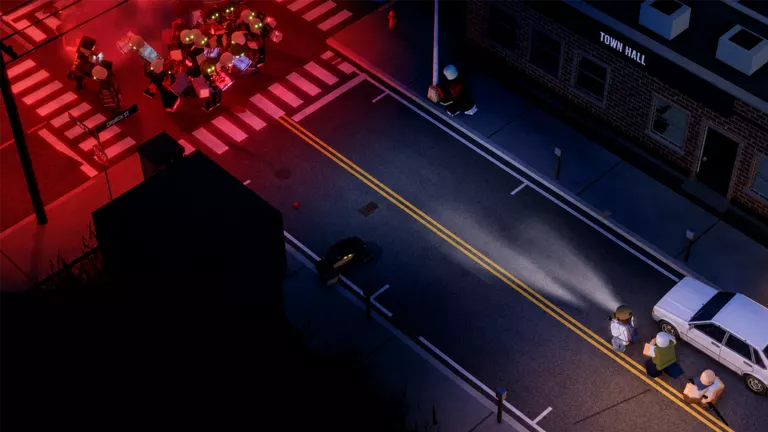
HUSH is a PvE extraction game set in quarantined Stillwater. Search for supplies, manage the noise that attracts infected, and reach an exit before time runs out. Between raids, organize your stash and build your hideout.
Browse
Pack for a run you can afford to lose. Bring a weapon, usable storage space, Bandages and Pills. A quiet loot-run loadout helps you plan what to carry.
Deploy into Stillwater. Open PLAY, choose Stillwater, start with Normal, select a time of day, then use DEPLOY.
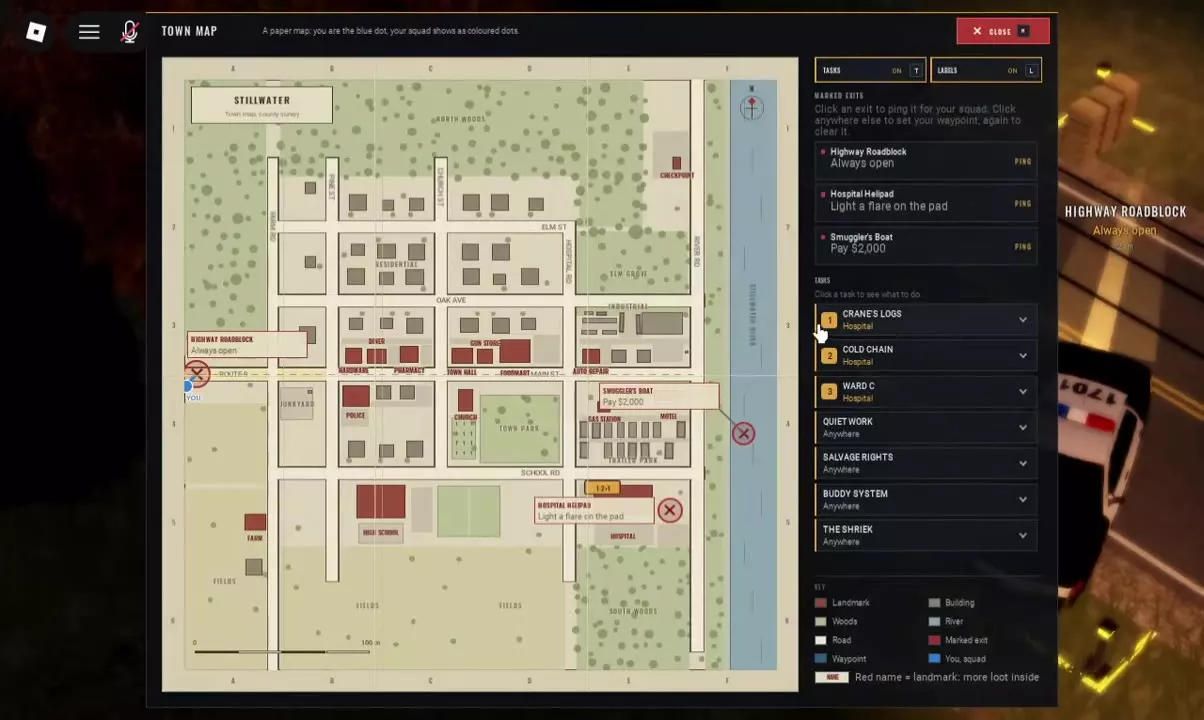
Choose an exit early. Press M and check which exit requirements you can meet. Stillwater raids last 20 minutes, so leave time to travel out.
Search quietly. Use C or Control to crouch. Approach a container, select its Search action and press F. After the search finishes, take wanted items from NEARBY into your inventory. The PC controls reference covers contextual interactions.
Leave before the clock runs out. Stop searching while you still have time to reach your chosen exit and meet its requirements.
Time of Day offers DAY, DUSK and NIGHT; ANY chooses randomly. See deployment settings for the difficulty and time controls.
Play Solo or bring up to three friends for a four-person squad. A raid supports 12 survivors total and is pure PvE.
Use the invitation bar at the top of PLAY to invite friends, or Find squad — PUBLIC to look for a squad. Squad play covers invitations and coordination.
Use western Route 9, the southeastern Hospital and the eastern river to orient yourself. The Stillwater map guide explains landmarks and map controls.
| Name | Location | Requirement | Required payment |
|---|---|---|---|
| Highway Roadblock | West, on Route 9
| Always open
| |
| Hospital Helipad | Southeast, at the Hospital
| Light a flare on the pad
| |
| Smuggler's Boat | East, beside the river
| Payment
| 2K Cash
|
The noise indicator shows states including SILENT, LOW and AUDIBLE. Gunshots attract infected. Sneak around encounters where possible; if you draw a pursuit, close doors behind you and keep moving. Noise and infected survival covers these choices in more detail.
See contextual controls for these interactions.
HUSH also has five bosses.
Helicopter rotor noise draws infected along the flight path. Airdrops can provide backpacks and armor; see raid events for their distinct roles.
Treat Bleeding first, then restore health as needed. Use a Bandage, then Pills if you need healing. Right-click the item and choose Use. Residential medical searches are leads, not guaranteed drops; the medical supply guide covers treatment and places to check.
Bites can cause infection, with blurred screen edges as a symptom. Look for an antiviral item, prioritize extraction and avoid further bites. Follow the infection response guide when deciding what to do next.
Stamina support: Cola speeds up stamina regeneration for about three minutes.
Residential furniture provides useful supply leads. Contents vary between searches:
Red landmark names on the map indicate more loot. The container search guide covers searching and reading the results.
Prioritize medical supplies and what you need for your exit, then check the actual sale quotes on valuables such as Jewelry and Ring. Use the loot item reference to identify electronics, materials and other finds.
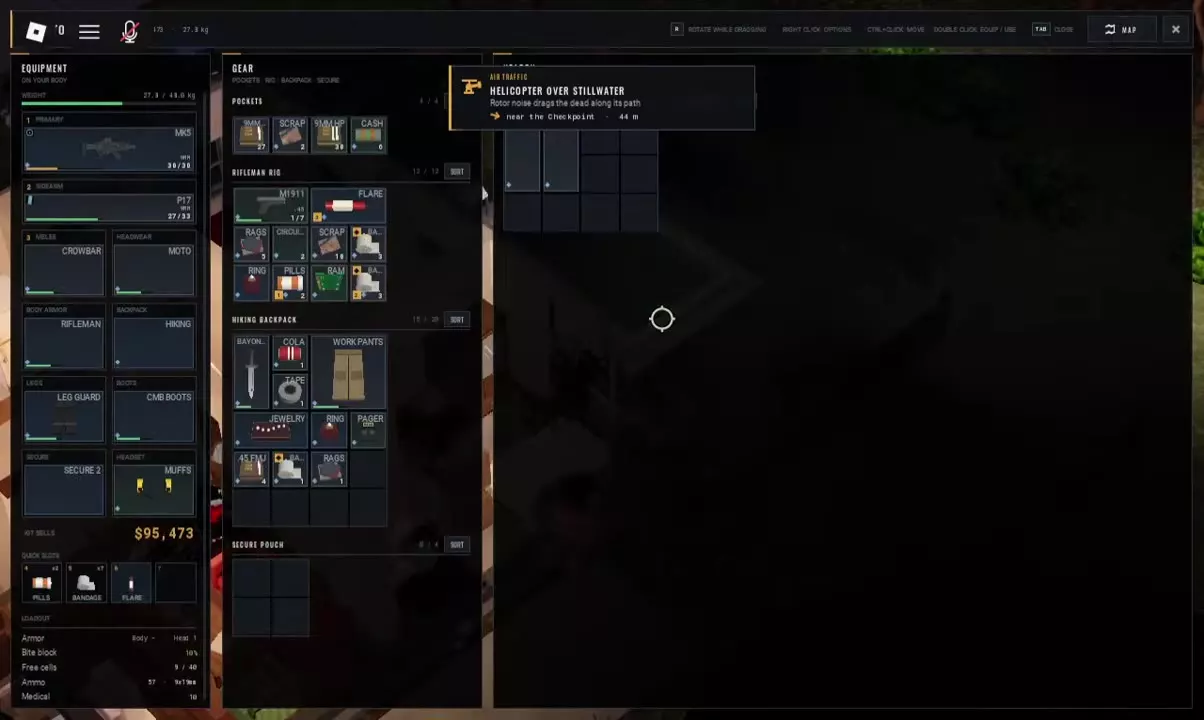
Pockets, Rig, Backpack and Secure Pouch are separate grids. Free cells in different containers do not form one continuous space.
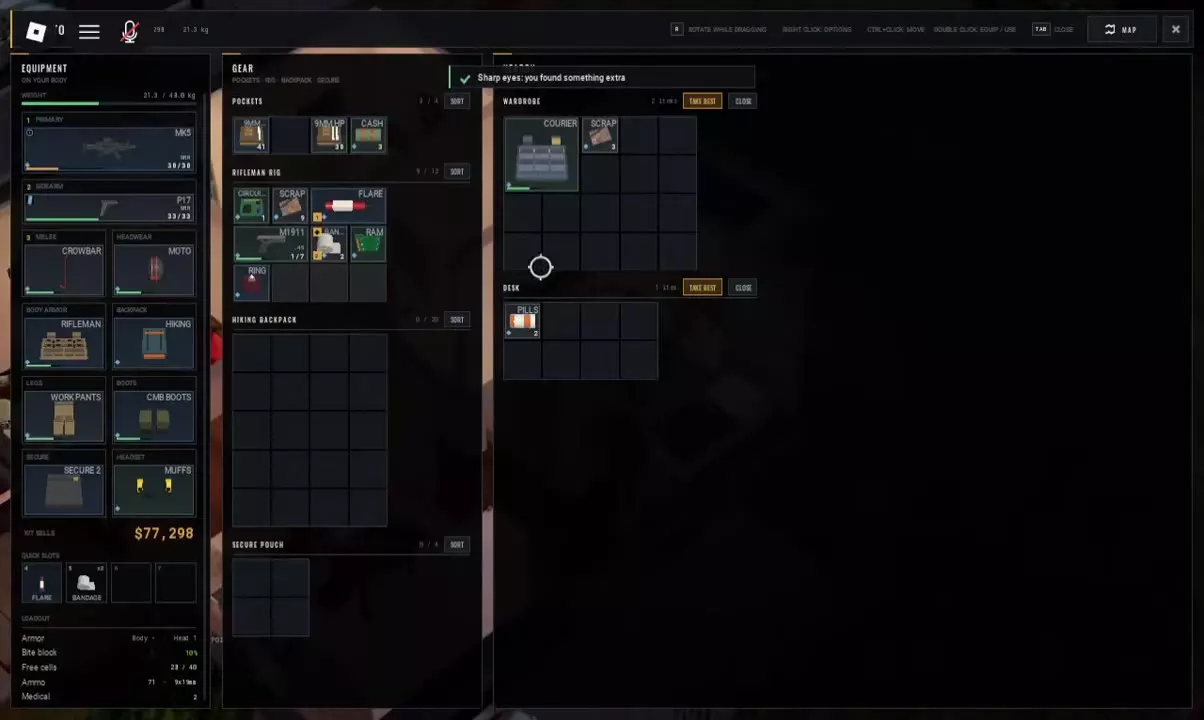
Selection keys work when a weapon is equipped in the corresponding slot. Use guns when you are prepared to draw attention; melee avoids gunfire but still exposes you to close-range injuries. The loot-run loadout guide helps combine weapons with supplies and carrying gear.
9MM, 9MM HP and .45 FMJ are distinct inventory labels. Check the full label when sorting ammunition. Residential Cabinets are a place to look for .45 FMJ, though a search does not guarantee ammunition.
Backpack shape matters as well as capacity: Duffel Bag uses a 6×3 grid, while Hiking Backpack uses 4×5.
For body storage, Rifleman Rig favors capacity. Scrap Vest suits a load that fits into six cells when lower equipment weight matters more.
Riot Leg Guards offer higher listed leg bite block and protection; Canvas Work Pants weigh less. Compare the same body slot when choosing armor and rigs.
Jungle Combat Boots reduce footstep noise. Use them as part of a quiet loot-run loadout alongside suitable storage and supplies.


Open a trader's TASKS tab to find trader jobs. During a raid, open the map with M, toggle Tasks with T, and click a task to inspect its requirements. Tasks can unlock shop offers and raid difficulty.
Trader jobs and lost tapes reveal what the MX-11 trial did to Stillwater. These story recordings are different from the Tape adhesive roll found while looting.
For replacement gear, open TRADERS → Scrapper → BUY → GEAR. A purchase needs enough Cash, the required unlocks and available stock. Scrapper's shop guide covers gear offers and purchase costs.
Reaching LV3 requires both 45 REP and 8 extracts. Meeting the extraction target alone does not satisfy the reputation requirement.
Read each offer separately: a task-gated offer and a level-gated offer can be alternative ways to buy the same key. An offer marked with both a level and TASK requires both conditions.
Hover over an item or use Inspect to check its sale quote and named buyer. For example, Duffel Bag quotes name Rook, while Canvas Work Pants quotes name Gunner.
| Name | Purchase price |
|---|---|
| Gun Store Key — task offer | 27K Cash
(Scrapper; TASK required)
|
| Gun Store Key — level offer | 25,200 Cash
(Scrapper LV 3 required)
|
| Military Keycard | 42K Cash
(Scrapper LV 4 and TASK required)
|
Death removes ordinary carried gear and loot, but items inside your secure container come home. The standard Secure Pouch has 2×2 cells—four total. Secure Case 3x4 expands protected storage to 12 cells. See death and secure-case rules for how these differ from ordinary inventory.
Insurance returns an insured item later only if nobody took it during the raid. Premiums are paid in Cash.
Use the insurance guide and savings calculator to compare paid premiums and relative waiting times.
Stash holds supplies between raids; it is separate from the inventory you carry into Stillwater. Your Hideout develops between runs, and its Stash Rack provides stash capacity.
Stash Extension adds 10 rows—100 extra cells and stacks with the hideout Stash Rack. The game pass comparison covers this paid expansion and its benefits.
The normal allowance is 3 listed items per day. FIXER raises it to 12. This is a listing allowance, separate from selling items to NPC traders.
Choose around the system you use most: protected raid space, between-raid storage, trader sales, daily listings or insurance. Extra listing capacity matters when you reach the normal limit; insurance benefits matter when you regularly insure gear.
VIP makes every trader pay 10% more for everything you sell and adds a profile title.
Secure Case 3x4, Stash Extension, VIP and INSURANCE PLUS are permanent, one-time purchases.
| Name | Price | Main benefit |
|---|---|---|
| Secure Case 3x4 | 1,499 Robux
| Expanded protected raid storage
|
| Stash Extension | 499 Robux
| Extra stash storage
|
| VIP | 599 Robux
| Higher trader sale proceeds
|
| FIXER | 499 Robux
| Higher daily listing allowance
|
| INSURANCE PLUS | 499 Robux
| Cheaper insurance and faster returns
|
Trader sale proceeds and Cash per occupied cell, with an optional VIP bonus applied to unboosted quotes.
Quoted total = unit sale quote × quantity. Added VIP bonus = quoted total × VIP bonus percentage ÷ 100 when selected. Proceeds = quoted total + added bonus. Value per cell = proceeds ÷ total occupied cells.
| Code | Reward & details | Status | Copy |
|---|---|---|---|
SORRY20K |
Expired | — | |
HUSH4K |
Expired | — |
A limited-time Halloween cosmetic pack is available in the HUSH store, limited to one per account.
Update 0.8.6 introduces permanent kill-tracking TALLY finishes and player trading, alongside combat adjustments and fixes.
Submit gameplay clips for possible inclusion in the video on HUSH's Roblox game page.
QUICK ANSWERS
You can play solo. A squad holds you and up to three friends; 12 survivors is the total raid capacity, not the squad size. See squad play for invitations.
Highway Roadblock, on western Route 9, is marked Always open. Hospital Helipad requires a flare lit on the pad, while Smuggler's Boat requires 2,000 Cash. Check your route and remaining time in the exit guide.
No. Secure-container contents come home even if you die. Insurance is a delayed return for insured items, and only works if nobody took them during the raid. See insurance rules.
The item needs a continuous opening that matches its footprint within one suitable grid. Rotate it with R while dragging, rearrange items or try another storage area. Inventory management explains the separate grids.
Sharp eyes reports an extra find during a search. Searched means the container has been searched; Empty means it has no contents. Searched alone does not mean every item has been taken.
Trader progression can require both extracts and REP: LV3 requires 8 extracts and 45 REP. Individual offers may also require a task, a level or both. Check the conditions on the specific offer in Scrapper's shop.
THE COMPLETE REFERENCE