
STILLWATER / FIELD GUIDE
HUSH Scrapper Shop: Gear Prices, Locks and Purchase Costs
Last updated:
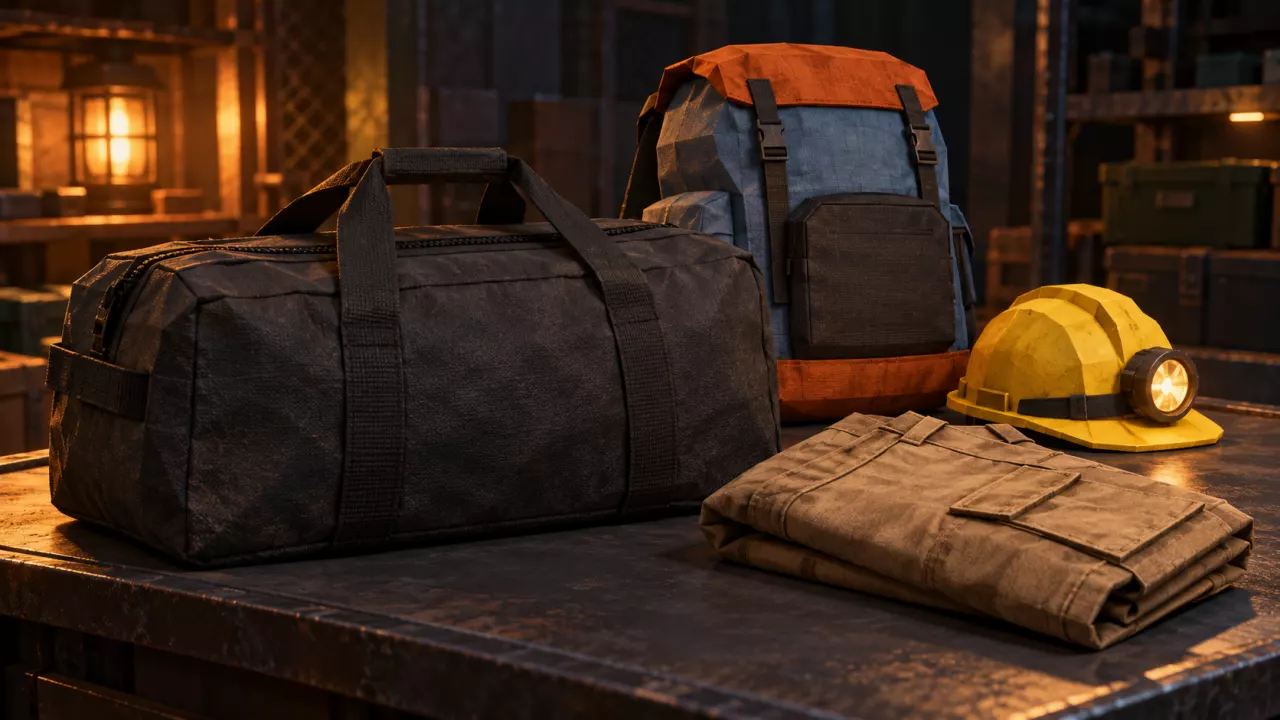
Scrapper sells replacement backpacks, clothing and headwear between raids. Use the gear offers and cost tool to plan your purchases, then check your trader progress and the requirements attached to each offer.
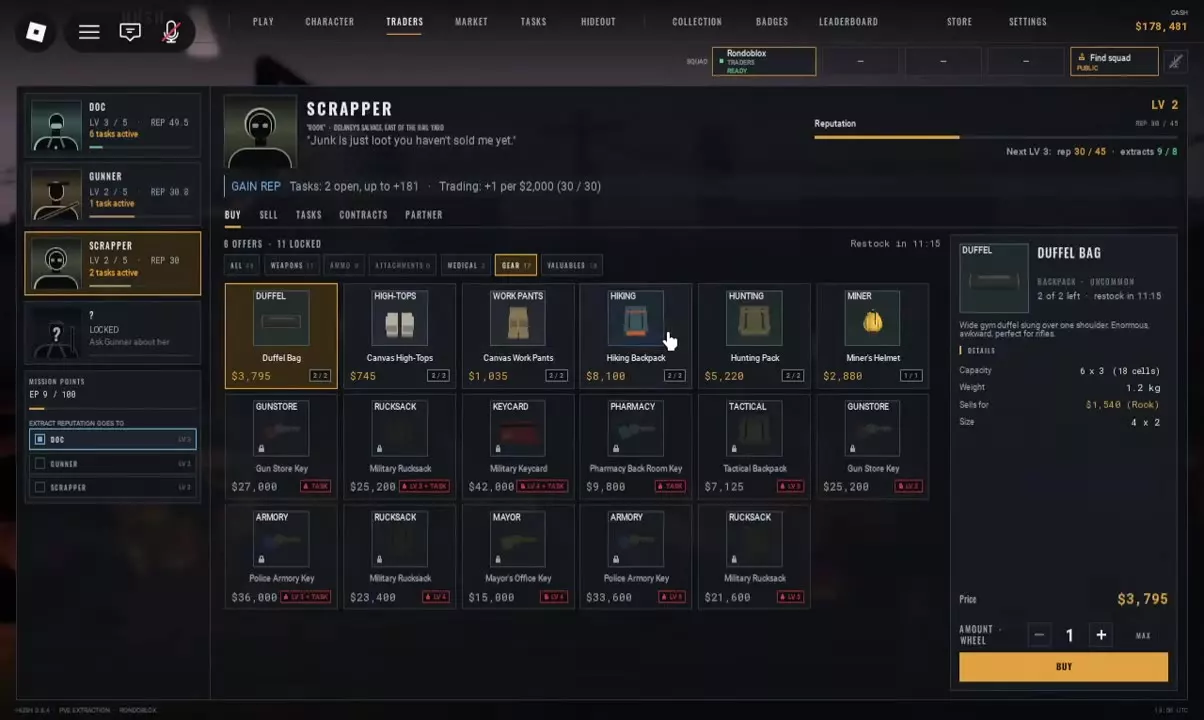
Open TRADERS → Scrapper → BUY → GEAR, select an offer, set the quantity and press BUY. You need enough Cash, remaining stock and every listed LV or TASK requirement. Calculate spending using the chosen offer's purchase price × quantity. Scrapper's level-3 progression requires 45 REP and 8 extracts; meeting the extraction requirement alone is not enough.


Cash purchase totals for selected quantities of Scrapper gear offers.
| Item | Unit price | Quantity |
|---|---|---|
| Hiking Backpack | ||
| Duffel Bag | ||
| Hunting Pack | ||
| Tactical Backpack | ||
| Military Rucksack | ||
| Canvas Work Pants | ||
| Canvas High-Tops | ||
| Miner's Helmet |
Enter quantities to calculate your purchase.
Buy Replacement Gear
- Open TRADERS in the lobby and select Scrapper.
- Choose BUY → GEAR.
- Select the item you want. Read its purchase price and details in the panel on the right, then check its stock and any unlock labels.
- Set the quantity with the − / + controls. Make sure you have enough Cash for the full quantity and that the offer is unlocked and stocked.
- Press BUY.
The selected item's details and the purchase controls share the right-hand panel. If an offer is locked, use the LV and TASK guide below to identify the requirement.
Gear Offers and Purchase Cost
Use the cost tool for the five backpacks, Canvas Work Pants, Canvas High-Tops and Miner's Helmet. Choose the applicable offer and enter a whole-number quantity for each item you intend to buy; leave unwanted items at zero.
Total purchase cost = the sum of each selected offer's Cash price × quantity. Reset returns quantities to zero without changing the selected price conditions. These are reference shop quotes; check the current in-game price before purchasing.
Military Rucksack has separate offers: 25,200 Cash at LV 3 plus TASK, 23,400 Cash at LV 4, and 21,600 Cash at LV 5. Select the offer you qualify for when budgeting. The lowest listed price is only useful once you meet its level requirement. Tactical Backpack's 7,125 Cash offer requires LV 3.
For a low-cost storage replacement, Duffel Bag provides 18 cells for 3,795 Cash. Hiking Backpack costs 8,100 Cash for 20 cells and a different grid shape. Compare backpack sizes and budget picks before paying for the extra space, or check armor and equipment properties when choosing clothing and headwear.
-
Duffel Bag
- Purchase price
- 3795 Cash (Scrapper GEAR shelf)
- Storage capacity
- 18 cells
- Item weight
- 1.2 kg
-
Hiking Backpack
- Purchase price
- 8100 Cash (Scrapper GEAR shelf)
- Storage capacity
- 20 cells
-
Hunting Pack
- Purchase price
- 5220 Cash (Scrapper GEAR shelf)
-
Tactical Backpack
- Purchase price
- 7125 Cash (Displayed locked Scrapper offer requiring trader level 3)
- Required trader level
- 3 level (Displayed Scrapper offer)
-
Military Rucksack
- Purchase price
- 25200 Cash (Displayed Scrapper offer: trader level 3 plus TASK requirement)23400 Cash (Displayed Scrapper offer: trader level 4)21600 Cash (Displayed Scrapper offer: trader level 5)
-
Canvas Work Pants
- Purchase price
- 1035 Cash (Scrapper GEAR shelf)
-
Canvas High-Tops
- Purchase price
- 745 Cash (Scrapper GEAR shelf)
-
Miner's Helmet
- Purchase price
- 2880 Cash (Scrapper GEAR shelf)
Read LV, TASK and Trader Progress
Read the labels on the specific offer you want:
| Offer label | Requirement |
|---|---|
| LV | Reach the displayed level with that trader. |
| TASK | Meet the offer's task requirement. |
| LV + TASK | Meet both the trader-level and task requirements. |
Scrapper's progression panel tracks REP and extracts separately. Progression from level 2 to level 3 requires 45 REP and 8 extracts. At 30/45 REP and 9/8 extracts, the extraction requirement is already met, but reputation is still below the threshold. Extra extracts do not make that REP requirement disappear.
Check the progression panel when an LV offer remains locked, and read any TASK condition separately. A trader level alone does not unlock an offer that also requires a task.
Stock, Restock and Other Trader Tabs
Check the stock counter on the offer and the selected item's remaining-stock line before choosing a quantity. The shop also displays a restock countdown. Read these values each time you shop: they describe current availability, not a permanent quantity you can always purchase.
Scrapper's interface includes these tabs:
- BUY: Browse purchase offers.
- SELL: Access selling.
- TASKS: Open trader tasks. See the task reference and tracking guide for objectives and unlocks.
- CONTRACTS and PARTNER: Additional tabs in the trader interface.
When choosing where to sell an item, read the buyer named on its item card. Rook and Gunner appear on specific sale quotes; use the quote for the item in hand rather than assigning buyers by equipment category.
Separate Buy Prices from Sale Quotes
Use the offer's purchase price to budget a replacement. The item's Sells for value is a separate sale quote, even when it appears inside the shop's details panel.
Duffel Bag's purchase quote is 3,795 Cash, while its item card lists 1,540 Cash to Rook. Budget 3,795 Cash to buy one at that offer. Canvas Work Pants also have an item-specific sale quote: 301 Cash to Gunner for a pair at 76% durability with Found in raid: Yes. Check your own pair's quote before counting that amount as sale income.
Use the loot value calculator to total sale quotes and compare value per occupied cell. If you are tracking a raid's overall cash result, enter actual replacement spending in the raid profit calculator.
Shopping for a key instead of equipment? Check key and keycard prices and requirements to choose the offer you can unlock.