
STILLWATER / FIELD GUIDE
HUSH Weapons and Ammo: Slots, Switching and Loot Sources
Last updated:
Match your weapons to their equipment slots, switch to the one you need, and look for ammunition while searching Stillwater’s homes.
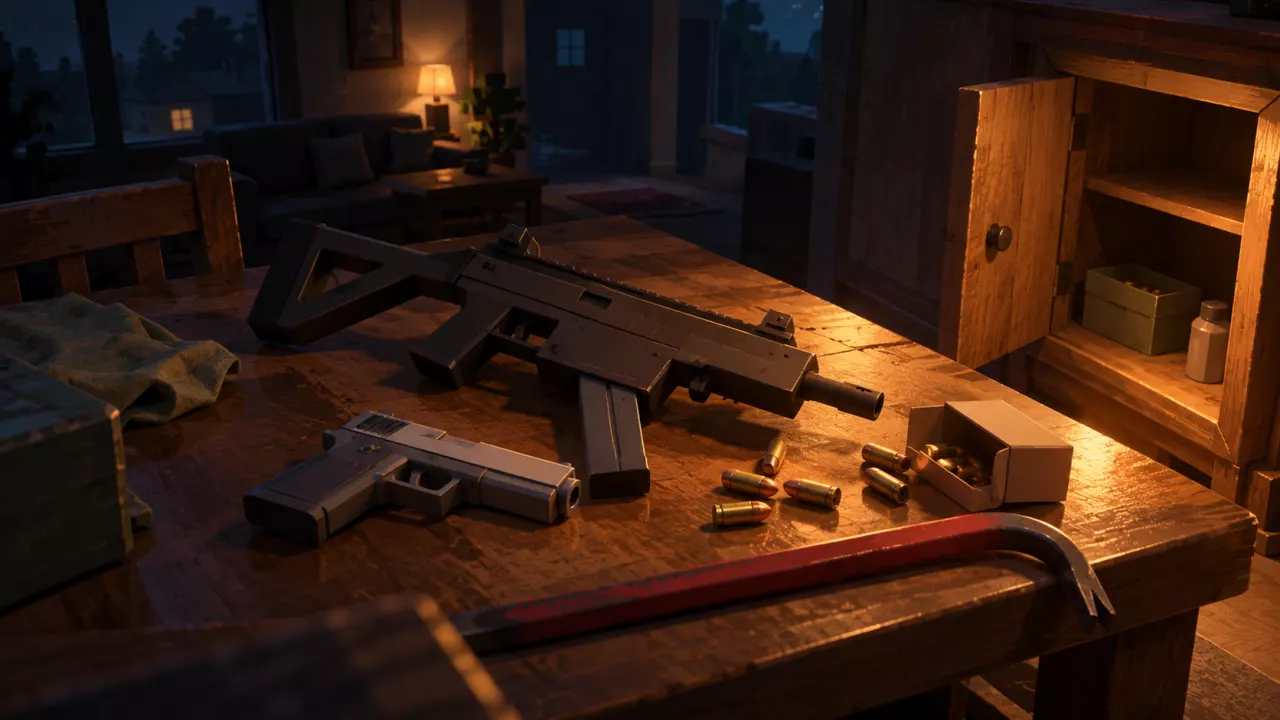
Press 1 for your equipped primary weapon, 2 for your sidearm, and 3 for melee. Crowbar works at close range, but you can still take injuries and bleed. Search residential Cabinets for .45 FMJ ammunition and transfer any rounds you find into your inventory.
Known Weapons and Their Equipment Roles
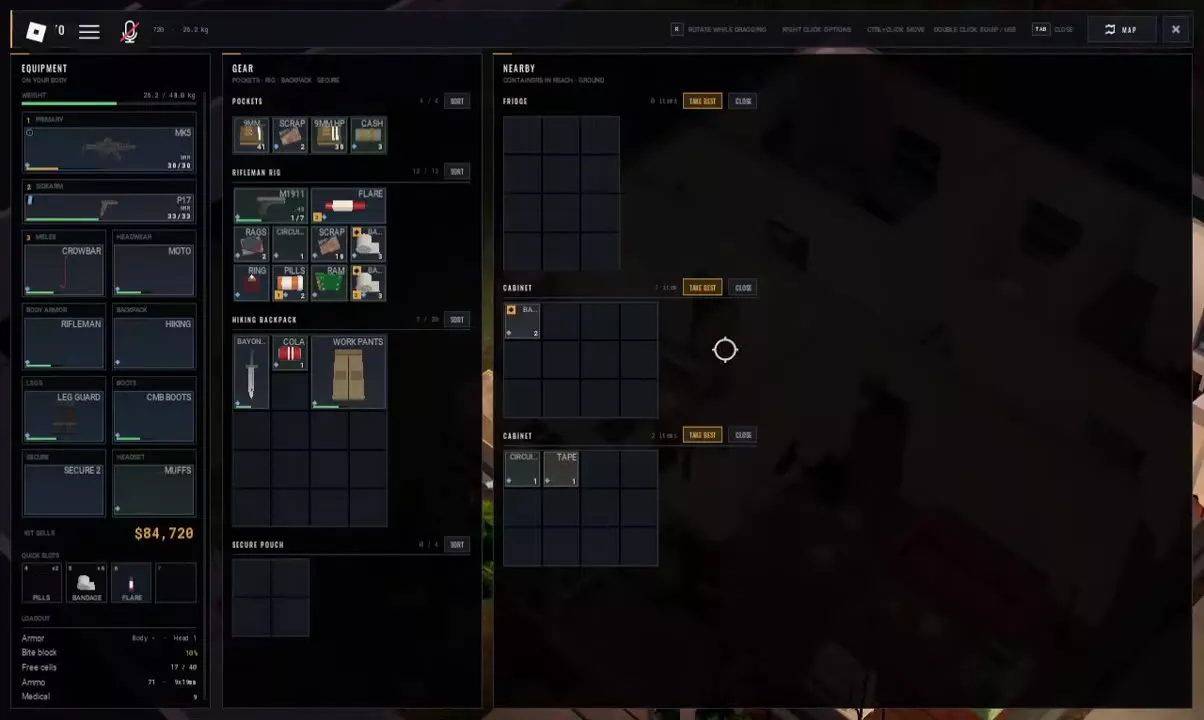
Check the equipment slots separately from your storage grids. A pistol carried inside a rig is stored cargo; the weapon in your Sidearm slot is the one selected with 2.
The MK5 configuration shown here has AUTO mode and a 30-round magazine. Its HUD also displays FMJ, which by itself does not identify the cartridge caliber.
| Name | Type | Equipment slot |
|---|---|---|
 MK5 MK5 |
Firearm
|
Primary
|
 P17 P17 |
Pistol
|
Sidearm
|
 M1911 M1911 |
Pistol
| — |
Melee Weapons
 Crowbar
-
MK5
- Type
- Firearm
- Equipment slot
- Primary
- Displayed fire mode
- AUTO (Equipped MK5 configuration example)
- Displayed magazine capacity
- 30 rounds (MK5 configuration example)
- Displayed ammunition label
- FMJ (Raid HUD; the label does not identify a cartridge caliber)
-
P17
- Type
- Pistol
- Equipment slot
- Sidearm
-
M1911
- Type
- Pistol
- Storage example
- Inside the Rifleman Rig.
-
Crowbar
- Type
- Melee weapon
- Equipment slot
- Melee
- Appearance
- Red crowbar (Inventory icon)
Switch Weapons and Use the Crowbar
Equip a weapon in the corresponding slot before using its selection key:
- 1 — Primary: select your equipped primary weapon, such as MK5.
- 2 — Sidearm: select your equipped sidearm, such as P17.
- 3 — Melee: select your equipped melee weapon, such as Crowbar.
To use Crowbar, equip it in the Melee slot and press 3. Check for MELEE CROWBAR on the HUD, then use it to attack infected at close range. Fighting this close leaves you exposed to incoming hits and bleeding, so treat it as a way to avoid gunfire—not a reason to take every fight.
For movement and contextual interactions, see the HUSH PC controls guide.
Recognize Ammunition and Search Cabinets
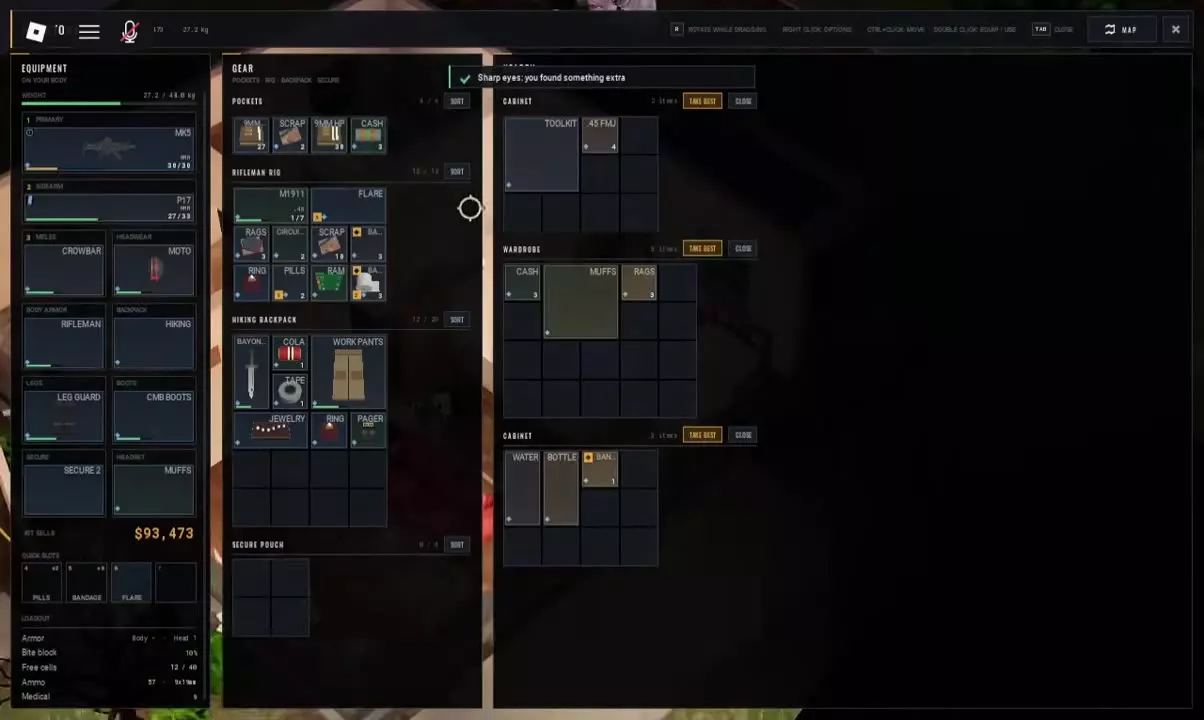
9MM, 9MM HP, and .45 FMJ are distinct inventory labels. Read the full label when sorting ammunition; 9MM and 9MM HP appear as separate items.
Find .45 FMJ in residential Cabinets
Leave inventory space for ammunition, then:
- Approach a Cabinet in a residential building and select its Search action.
- Press F and wait for the search to finish.
- Inspect the Cabinet’s contents under NEARBY for .45 FMJ.
- Drag the ammunition into your inventory or use Ctrl-click to transfer it.
A Cabinet search can yield a stack such as the 4 rounds pictured here. That is one search result, not a guaranteed quantity from every Cabinet or a stack limit.
For other supply sources and container messages, use the looting guide.
Ammunition
 9MM
9MM
 9MM HP
 .45 FMJ
-
9MM
- Type
- Ammunition
- Storage example
- Pockets (Displayed separately from 9MM HP)
-
9MM HP
- Type
- Ammunition
- Storage example
- Pockets (Displayed separately from 9MM)
-
.45 FMJ
- Type
- Ammunition
- Loot source example
- Residential Cabinet (Loot source example; can be stored in the backpack)
Choose When to Go Loud
Gunshots attract infected. For a quiet loot run, avoid unnecessary fights and keep your firearm for situations where you are willing to accept the noise and prepare to move afterward. Crowbar avoids firing a shot, but its close-range exposure makes sneaking past an enemy preferable when you have a clear route.
Bring weapons you can afford to lose. Death inside a raid costs your carried equipment and loot, with items inside secure storage protected. See what you keep after death for that distinction.
Build the rest of your kit around the quiet loot-run loadout. If infected start following you, use the stealth and chase guide to plan your next move.