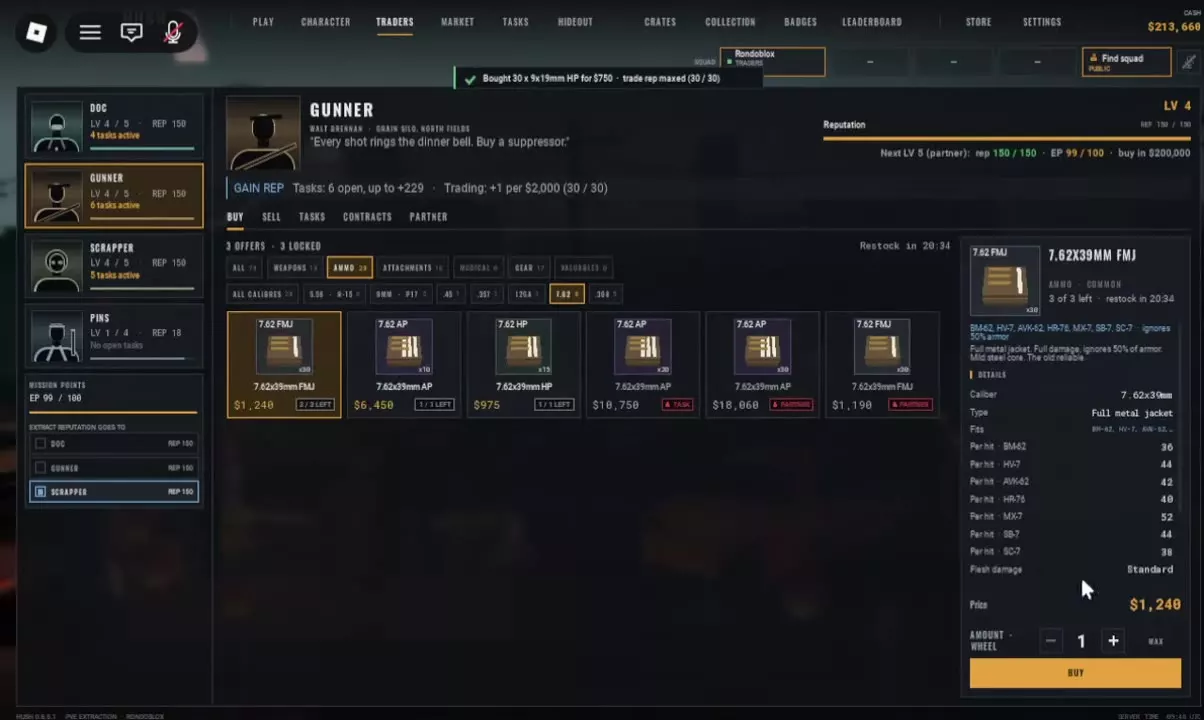
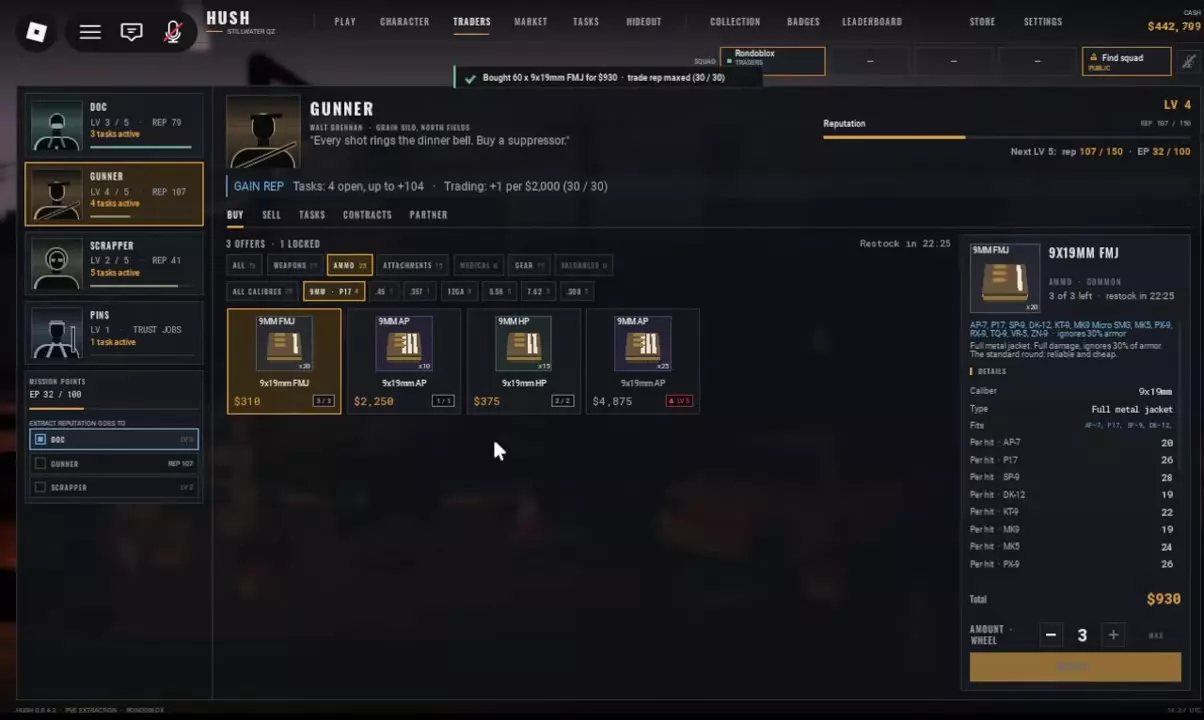
- Open TRADERS in the lobby and select GUNNER.
- Choose BUY → AMMO.
- Select the ammunition category. For a P17, open 9MM · P17. For the 7.62×39mm FMJ, AP and HP offers, open 7.62.
- Select an offer and inspect its full cartridge name, rounds per purchase unit, Cash price, remaining stock and lock label. Use the item card's compatibility information to match ammunition to your weapon.
- Set the number of purchase units with the − and + controls. Check the total before selecting BUY.
- Read the purchase confirmation for the rounds received and Cash spent.
P17 ammunition
The quantity control counts bundles. At the 20-round, 310 Cash FMJ quote, quantity 3 buys 60 rounds for 930 Cash.
For inexpensive P17 supplies, choose FMJ: its listed bundle costs less and contains more rounds than either the HP or AP bundle. AP+ has a separate LV5 restriction, explained in the lock-label section.
The 7.62 shelf
Read past the large 7.62 category label. The purchasable 7.62×39mm FMJ, AP and HP offers are separate from the other AP and FMJ products marked TASK or PARTNER. Sharing a shelf does not make every cartridge compatible with the same weapon.
For an AVK-62, 7.62×39mm FMJ is a compatible option. Its item description lists 50% armor ignored and Standard flesh damage. At the listed bundle prices, FMJ is the economical choice for stocking rounds: its 30-round bundle costs less than two 15-round HP bundles. AP has a substantially higher purchase cost for a smaller bundle.
Use the displayed stock and Restock countdown to plan purchases. For ammunition loot sources and weapon-slot controls, see the weapons and ammo guide.