
STILLWATER / FIELD GUIDE
HUSH Stash and Hideout: Store Gear and Find Stations
Last updated:
After extracting in HUSH Zombie Extraction, move recovered loot into STASH and check what remains equipped for your next raid. You can manage storage from the Hideout’s Stash Rack or the CHARACTER inventory menu.
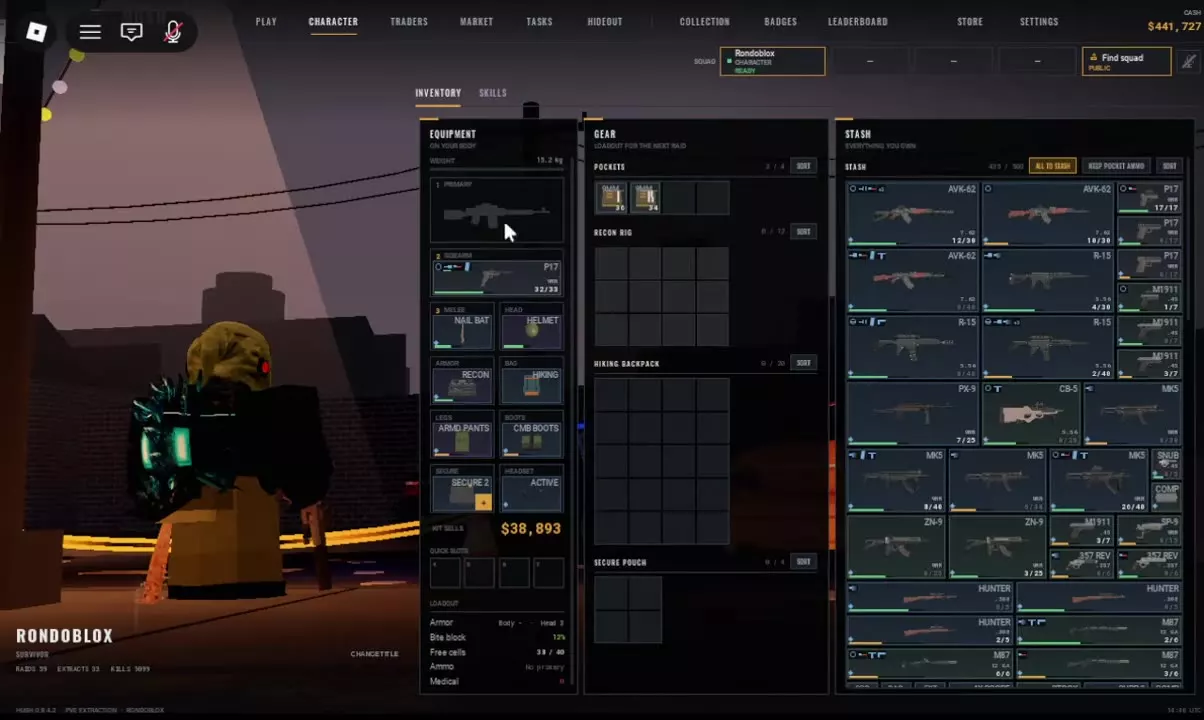
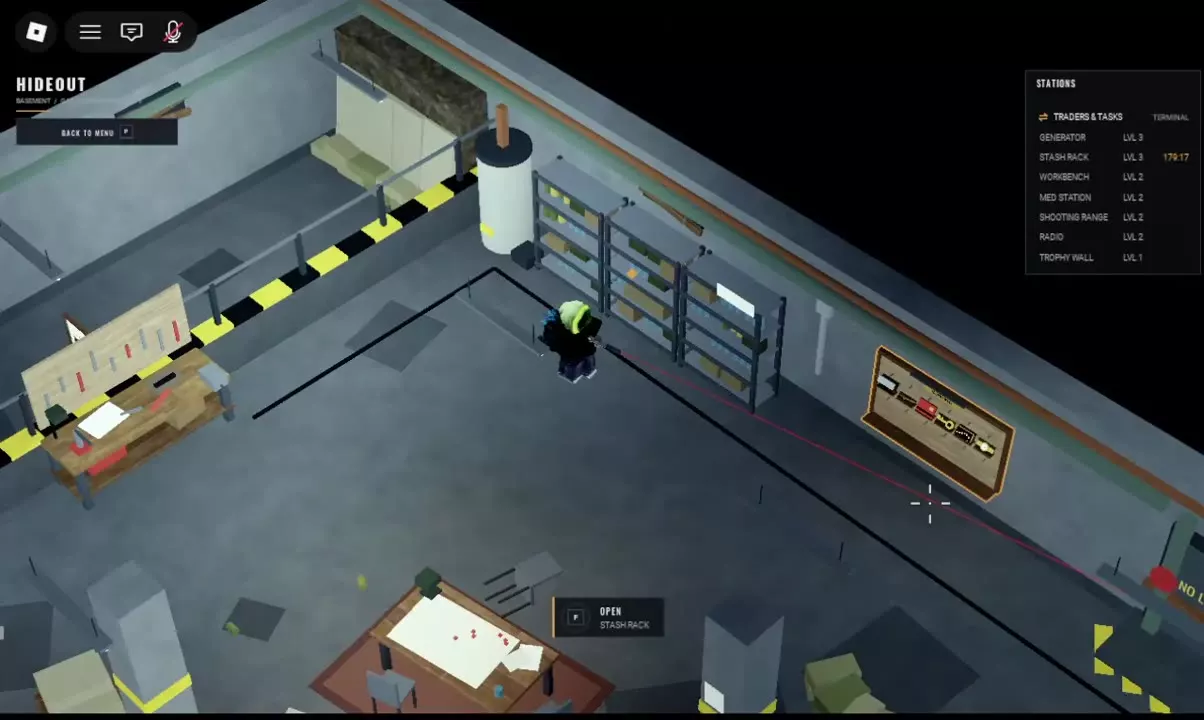
Outside a raid, open CHARACTER → INVENTORY, or approach Stash Rack in the Hideout and press F. EQUIPMENT holds equipped items, GEAR contains your next raid’s carried items, and STASH stores loot between raids. Move items you want to leave behind into STASH, then review your remaining loadout. Find facility entries in the Hideout’s STATIONS panel. Stash Extension adds 10 rows totaling 100 cells and stacks with Stash Rack capacity.
Open Stash Rack or Character Inventory
Use either entrance while outside a raid:
- In the Hideout: approach Stash Rack until the F — OPEN STASH RACK prompt appears, then press F.
- From the main menu: select CHARACTER → INVENTORY to access your equipment, carried items, and stash.
When you finish using Stash Rack in the Hideout, close its inventory interface, then press P to return to the main menu.
Separate Equipment, Raid Gear and Stored Loot
The inventory places three areas side by side:
| Area | What it contains | What to check before deploying |
|---|---|---|
| EQUIPMENT | Equipped weapons, armor, and other worn gear | Which items remain equipped for the next raid |
| GEAR | Pockets, rig storage, backpack storage, and Secure Pouch | Which supplies and loose items you will carry |
| STASH | Weapons, attachments, ammunition, supplies, and equipment stored between raids | Which items you want to leave behind |
Put recovered items away
- Move recovered loot from your rig and backpack into STASH. Empty those grids if you want their space available for the next run; the rig and backpack can remain equipped.
- Store equipped weapons you want to leave behind. Moving an MK5 from PRIMARY into STASH leaves PRIMARY empty. Clearing the carried grids and removing an equipped weapon are separate changes.
- Review EQUIPMENT and every GEAR grid. Keep the equipment and supplies you intend to bring, and move the rest into STASH.
An empty backpack grid means its contents are cleared; check EQUIPMENT to see whether the backpack itself is still equipped. For item rotation, placement problems, and storage totals, use the inventory management guide.
Recognize Inventory Controls and Station Entrances
Look above the STASH grid for ALL TO STASH, KEEP POCKET AMMO, and SORT. SORT buttons also appear beside carried containers. After organizing items, check their final positions in EQUIPMENT, GEAR, and STASH to confirm the loadout you are taking.
In the Hideout, look at the STATIONS panel in the upper-right corner to find the facility entries below.
Understand Stash Expansion
Stash Extension adds 10 rows totaling 100 additional cells to your between-raid storage. Its capacity stacks with the Hideout’s Stash Rack, and the pass is a one-time, permanent purchase.
Choose it when you need more room to keep recovered loot between runs. The extra cells belong to STASH; protected storage carried into a raid belongs to your Secure Pouch or Secure Case, whose contents return even if you die.
Compare purchasing options in the game pass guide, or read the death penalty and Secure Case guide for carried-item protection.