
STILLWATER / FIELD GUIDE
HUSH Blackmarket: Browse Listings and Read Prices
Last updated:
The Blackmarket in HUSH Zombie Extraction lets you browse player listings for gear and supplies using in-game Cash. Search for what you need, then read the item card’s price and listing count before comparing offers.
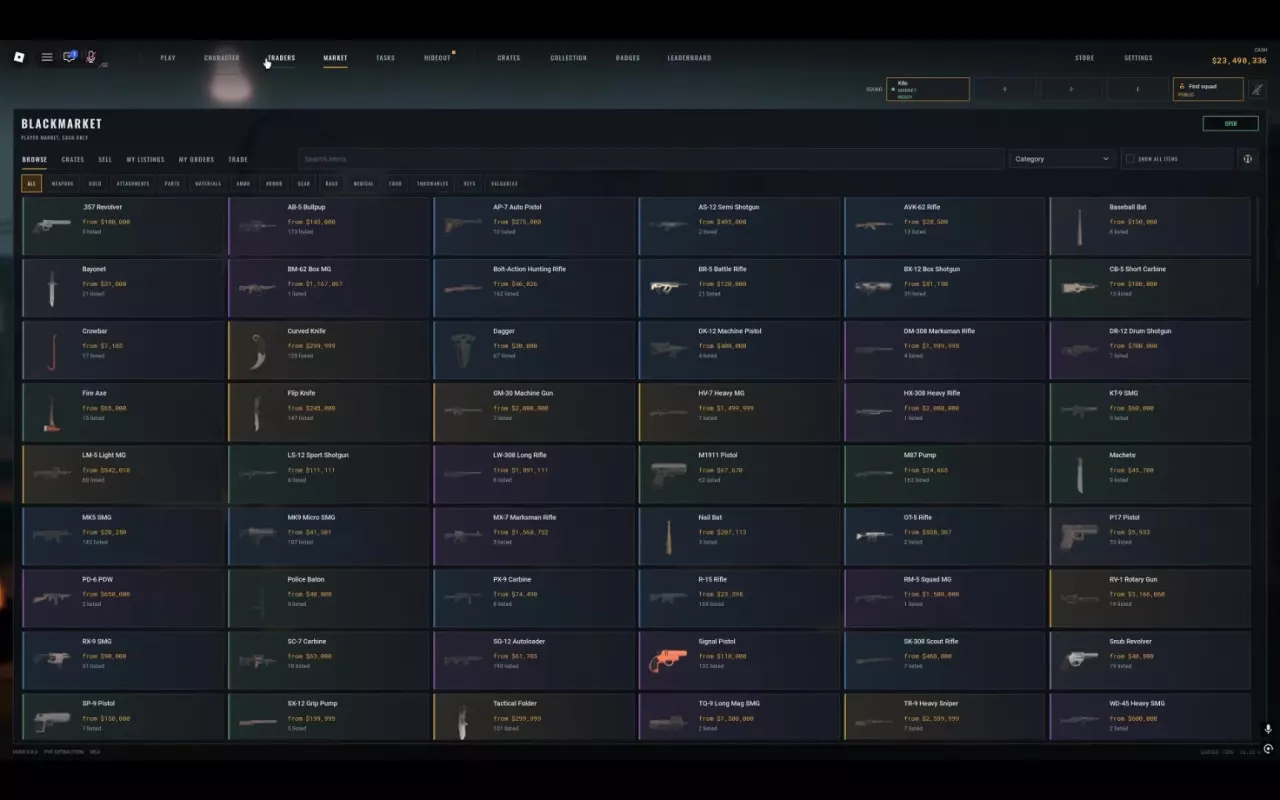
Open MARKET → BLACKMARKET → BROWSE. Use item search or category filters to find supplies. On each card, “from” is the displayed starting asking price and “listed” is the number of listings—not completed sales. You can list 3 items per day normally, or 12 with FIXER.
Open the Cash-Only Blackmarket
- Open MARKET.
- Select BLACKMARKET.
- Enter BROWSE to view player listings.
CASH ONLY means this player market uses in-game Cash. NPC traders have separate BUY and SELL menus. For replacement gear from an NPC, use the Scrapper shop guide.
Search Items and Use Category Filters
Enter an item’s name in Search items to narrow the list. Use the category filters when you know what kind of equipment or supply you need:
- WEAPONS: Find a replacement weapon.
- AMMO: Look for ammunition.
- MEDICAL: Browse medical supplies.
- KEYS: Find keys and keycards.
Use a specific item name when comparing prices so you keep the comparison on the same item. For weapon roles and other ammunition sources, see the weapons and ammo guide.
Read "from" and "listed" Before Comparing Prices
| Item-card label | Meaning |
|---|---|
| from | The displayed starting asking price in Cash. |
| listed | The number of listings for that item. |
Player listings can change. Compare the same item under its current listing conditions; a Blackmarket asking price is neither a fixed NPC purchase price nor the amount an NPC will pay you. The listing count also does not tell you how many items have sold.
Do not treat a high asking price as guaranteed resale income. If you want to estimate proceeds from selling to an NPC, use the applicable trader sale quote in the loot value calculator, rather than the Blackmarket’s “from” price.
Daily Listing Allowances
The normal allowance is 3 items listed per day. FIXER raises it to 12 items per day, adding 9 daily listings for four times the normal allowance.
This limit applies to listing items on the player market, rather than the number of items you sell to NPC traders. For FIXER’s price and how its benefit compares with the other passes, see the game pass comparison.