
STILLWATER / FIELD GUIDE
HUSH Stillwater Checkpoint Loot Route: Weapons and Supplies
Last updated:
Stillwater’s northeast Checkpoint offers places to search for weapons, backpacks and supplies in HUSH Zombie Extraction. Work through the building, exterior crate stacks and rear vehicle area, leaving room for the gear you want to carry out.
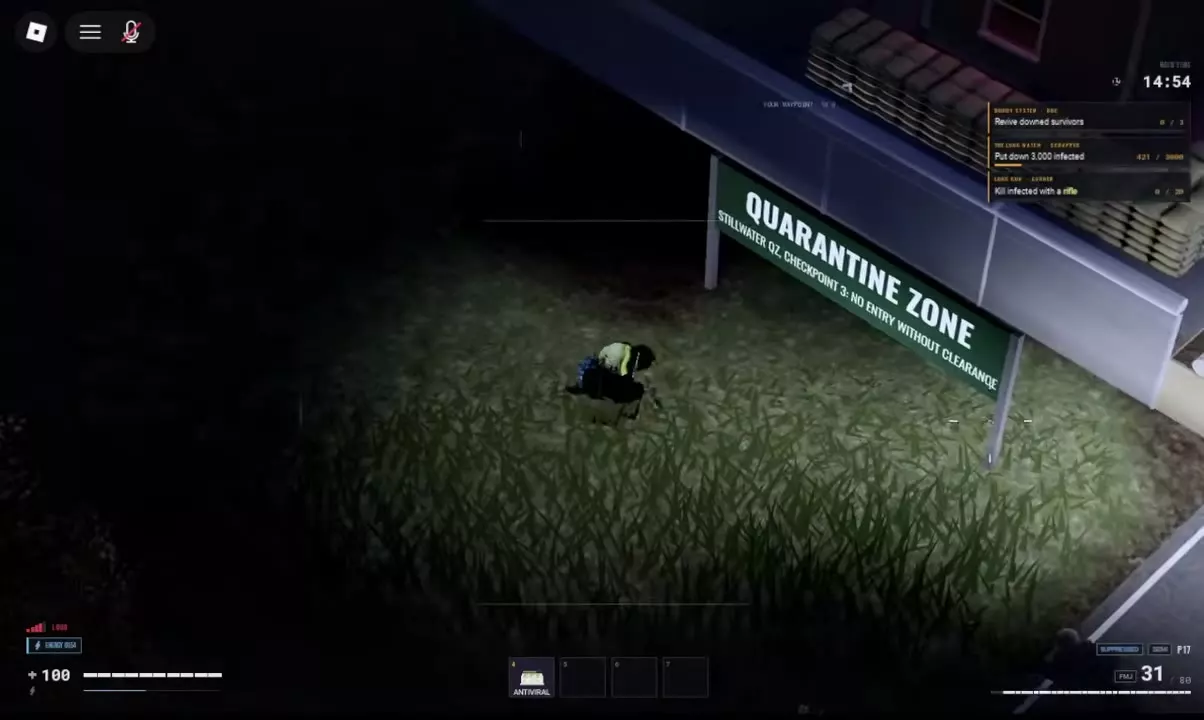
Find Checkpoint in northeastern Stillwater by the QUARANTINE ZONE sign. Search indoor Lockers, Desks and Safes, then doorway crates, outdoor box piles and rear trucks. Look for MK5 around the rooms and crates, R-15 in the rear vehicle area, and Hiking Backpack in truck-side pallet crates. Approach from the rear when armed infected threaten the front, and avoid Storm Drain while carrying a backpack.
Find the Northeast Checkpoint
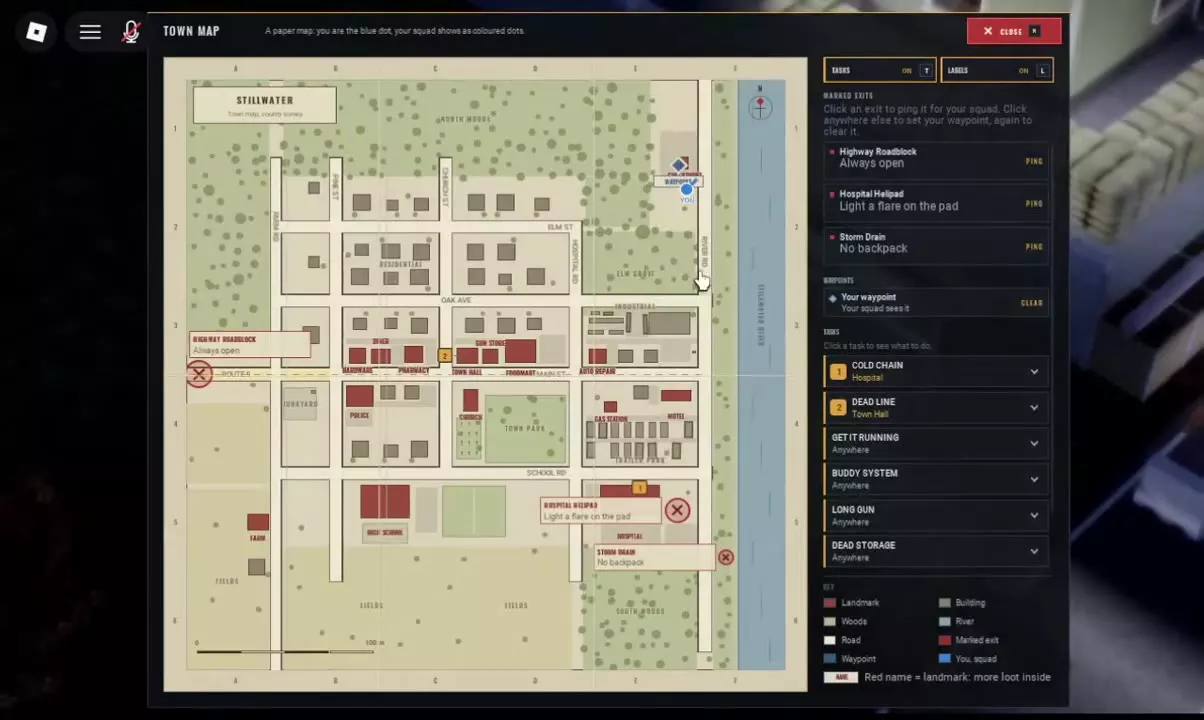
- Press M to open Town Map and locate Checkpoint in northeastern Stillwater. Use your blue player marker to orient yourself.
- Look for the QUARANTINE ZONE sign with STILLWATER QZ CHECKPOINT 3 beneath it.
- Press the right mouse button to look farther ahead as you approach.
If armed infected are around the perimeter, approach from the rear, truck side to reduce frontal exposure. They can cause bleeding, so avoid walking directly into their line of fire while looking for containers.
Use the Stillwater map guide for waypoint controls and the surrounding landmarks.
Search the Building's Lockers, Desks and Safes
Start with the searchable furniture inside the building. Select Search, press F and let the search finish, then inspect NEARBY. If several interactions overlap, use the mouse wheel or H to select the intended container. Drag wanted items into your inventory or use Ctrl-click to transfer them.
Loot along this route varies between searches. These containers give you specific places to look:
| Container | What to look for |
|---|---|
| Locker | DUFFEL, an equippable Duffel Bag |
| Desk | DISC-06, a magenta floppy disk |
| Safe | DISC-05, a purple floppy disk |
Also check the searchable Duffel Bag beside the camp beds for possible Splint and Water loot. This bag is a scene container you search with F; the DUFFEL item in a Locker is backpack equipment.
The looting guide covers other container types and item actions.
Check Exterior Crates and Rear Trucks
- Search the doorway and outdoor box piles. Check both Weapon Crates and ordinary Crates. MK5, Combat Helmet and Toolkit are possible finds across the Checkpoint rooms and nearby crate area.
- Continue into the rear vehicle area. Search around the vehicles for R-15. This is the area to prioritize if the rifle is your main target.
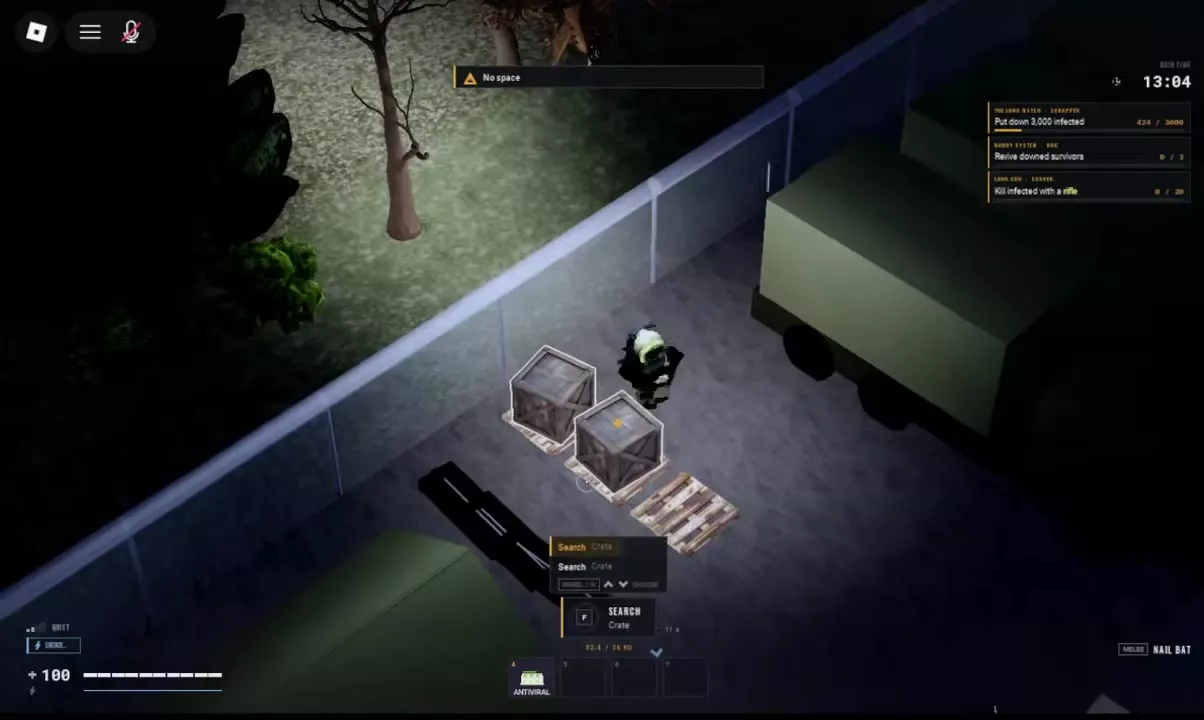
- Check the pallets beside the trucks. Search the Crates sitting on them for possible Hiking Backpack, Toolkit and SCREWS loot. The Toolkit looks like a red toolbox.
Read container labels as you move: Searched means you have already searched that target; Empty means it has no contents. Move through the remaining containers rather than stopping after the first weapon box.
The weapons and ammo reference explains equipment roles and ammunition leads for the guns you bring back.
Make Room and Leave with the Gear
Reserve continuous space for the items you want. Scattered empty cells may not fit a gun even when their total is large enough. Press R while dragging to rotate an item.
| Item | Horizontal footprint | Rotated footprint |
|---|---|---|
| MK5 | 3×2 cells | 2×3 cells |
| R-15 | 4×2 cells | 2×4 cells |
| Combat Helmet | 2×2 cells | 2×2 cells |
If No space appears, rearrange the destination grid or move smaller items to another suitable storage area before retrying. The warning can appear while carried weight is below its limit.
A Hiking Backpack provides a 4×5 internal grid, totaling 20 cells, when equipped. As a stored loot item, the backpack itself occupies 3×4 cells. Compare backpack sizes if you are deciding whether to replace your current bag. For the full rearrangement process, including using SUPP 556 on a carried R-15 to free space, follow the inventory guide.
Before leaving, open M → Marked Exits and choose an exit that matches your equipment:
- Highway Roadblock is marked Always open and is a practical option when keeping your backpack.
- Hospital Helipad requires you to light a flare on the pad.
- Storm Drain requires No backpack, so it does not fit a run where you keep wearing your loot bag.
Mark your chosen exit and follow its direction indicator. Use the extraction guide for the Highway Roadblock arrival steps and the other exit requirements.