
STILLWATER / FIELD GUIDE
HUSH Locked Rooms and Safes: Police Armory and Guns & Ammo
Last updated:
Bring the key named by the lock, then complete its interaction before searching for loot. Police Armory has separate unlock and open actions, while the Guns & Ammo door requires its key outside your secure case.
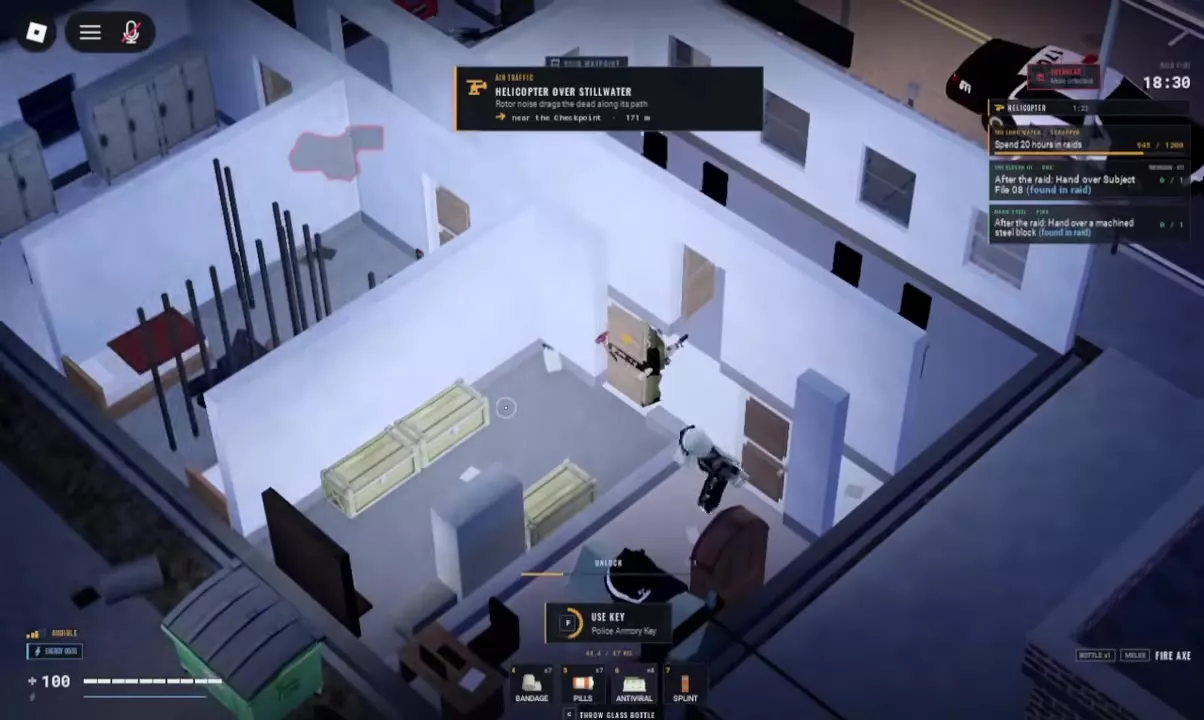
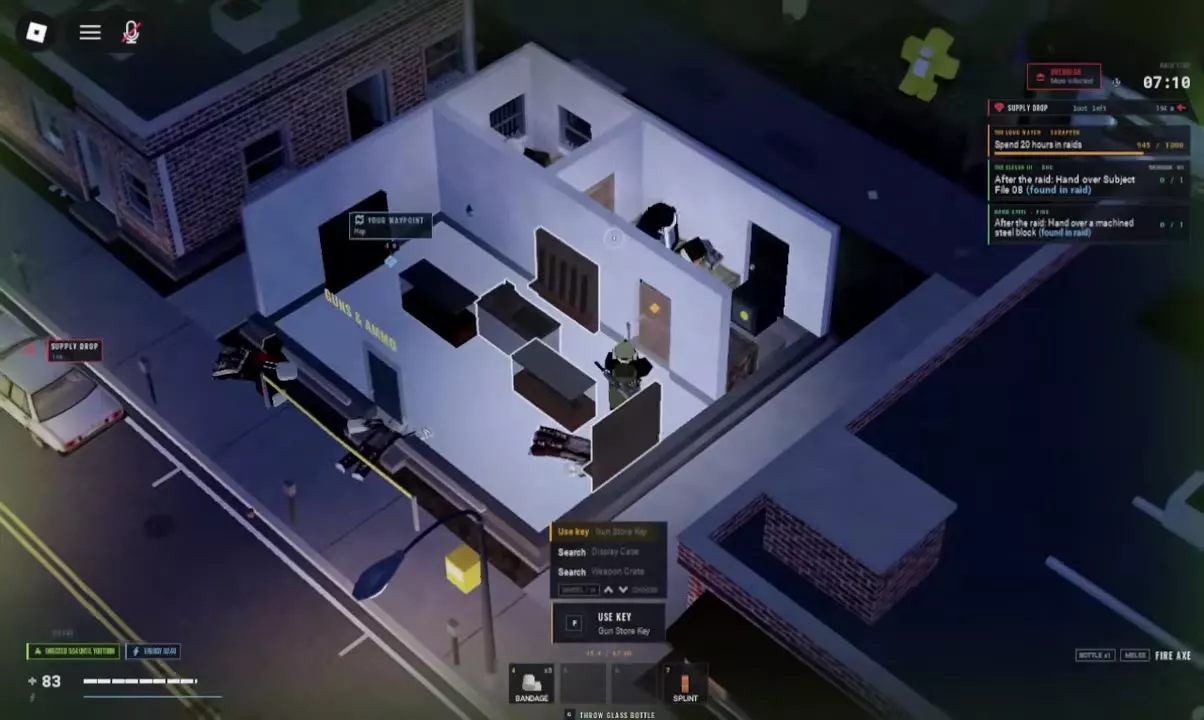
Use Police Armory Key for Police Armory's Reinforced Door, Gun Store Key for the Guns & Ammo door, Mayor's Safe Key for the Town Hall Safe, and Key Tag for the Gun Room Safe. At Police Armory, finish UNLOCK and then press F OPEN. Move Gun Store Key into pockets, a vest or a bag before using it.
Match Each Lock to Its Key
| Locked target | Required item |
|---|---|
| Police Armory's Reinforced Door | Police Armory Key |
| Door at Guns & Ammo | Gun Store Key |
| Safe inside Town Hall | Mayor's Safe Key |
| Gun Room Safe in the back room of Guns & Ammo | Key Tag |
Check the exact item name before setting out. Mayor's Office Key is a different item name; bring Mayor's Safe Key for the Town Hall Safe. Likewise, prepare Key Tag separately if your goal is the gun shop's back-room safe.
Scrapper sells Police Armory Key and Gun Store Key through offers with level or task requirements. See the key prices and purchase requirements to choose an available offer.
Unlock and Open Police Armory
- Approach Police Armory's Reinforced Door with Police Armory Key.
- Select Use key — Police Armory Key in the interaction list and press F.
- Wait for UNLOCK to finish.
- Press F OPEN to open the door.
- Enter, select a Locker or Weapon Crate, and press F SEARCH.
Unlocking and opening are separate actions here. If the door remains closed after UNLOCK finishes, select OPEN rather than trying to use the key again.
Check the Locker and individual Weapon Crates separately. If several targets share the interaction list, use the mouse wheel or H to select the container you want before pressing F. Opened containers appear in separate panels under NEARBY.
Move Gun Store Key Out of Secure Storage
The Guns & Ammo door cannot use Gun Store Key while it is stored in your secure case. If Your key is in your secure case appears:
- Open your inventory.
- Move Gun Store Key into your pockets, vest or bag.
- Return to the door's interaction prompt and press F: Use Key.
In the front room, approach a Display Case or Weapon Crate, select its Search action, and press F. Each container has its own NEARBY panel, so check the display cases and weapon crates individually.
For the Gun Room Safe in the back room, carry Key Tag as listed in the lock reference above.
Search Safes and Make Room for Loot
For the Safe inside Town Hall:
- Approach the Safe with Mayor's Safe Key.
- Use the key to unlock it.
- Open the Safe and search its contents.
- Drag the items you want into suitable inventory space.
Stand close to the specific Safe or container you intend to search. A nearby desk, cabinet or door can appear in the same interaction list.
If taking loot produces No space, rearrange items in your pockets, rig or backpack to make a suitable opening. Press R while dragging to rotate an item when that helps it fit. Automatic pickup does not fill free secure-container cells; manually drag a suitable item into the secure container if it has room.
For more help with inventory space and item placement or search controls and container messages, use the corresponding guides.